Saturday, January 6, 2018

Google Play Protect : Android New Security System
In today’s cyber world malware is a very common name. We had the fear of attacking malware to a computer but at present, more the Million mobile Phone is affected by malware. Although we can easily protect malware from mobile and mostly Android. Because we have a fixed place to download an android app (google play store).
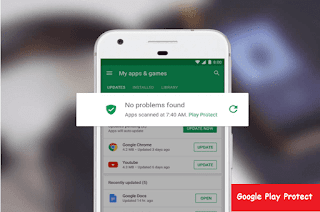

app protection in android
You may already installed antivirus on your smartphone, but it is not essential. If you don’t install an app from any other place then you will not face any problem with malware. From the past, play store was secured, now they are working to give more safety. Google opened a new feature, that named google play protect, they claim that this feature protects android device malware and other harmful things.

Mainly in this article, I explained how google play protect works. One more thing, if you have installed any antivirus please uninstall this without fear, because you don’t need an antivirus program for your smartphone.

Google Play Protect

In the very first I want to say, this is a new Android security feature, from whom Google will provide the latest security into your device. If you are using latest play store version, then you will definitely see that "verified by Google play protect" written there. It means that app is fully secured, and that is examined by Google. Not only the time of downloading apps from play store, it will always scan your device and also check the malware activity.

Related Article: 11 Best Android apps


You can say this feature All-in-one pack. Now it can do only three task; App scanning, browsing security, and Device Tracking. It can scan any types of app in real time, again it will continuously scan the app which you are using for many years in your phone, and it will alert you if there is any problem.

How it works?

Google play protect system use machine learning technic to scan app and detect malware. to access play protect by your phone go: settings>google>security>google play protect. Here you have a huge benefit that not only downloading from play store also from other sources when you will download, it will scan automatically and give full protection.

You may use a mod game from other sources because those are not available in play store. so google play protect will not detect them malware directly, first, it will scan app nature and then it will detect as malware.

This feature has the ability of use artificial intelligence-it scans billion devices and remember the app nature and then use those apps experience for next scan for other device and make the scanning method harder.


how-to-get-google-paly-protect

After comparing with which type of malware, or new and latest mobile virus working type, depending on then it will take a step for next and detect well. Doing this is also easy because google system definitely knows which app is working unusual.

Imagine that you have downloaded a camera app so this app will work with camera and storage. If the app wants the access of contact list then it has some wrong, isn’t it? A camera app doesn’t need contact list. In this way play protect scan apps with their nature.

When it detects wrong in any app, you will get notifications immediately that the app is harmful. In notifications, you will directly uninstall button.

Just on tap will remove the app from your system. Apart from this, they will check the app before uploading to play store and they will get the permission to publish.

Other Security Features

Earlier I said, this feature is not only app scanning, but also helps for safe browsing and device tracking. Previous Google safe browsing protection and android device manager has become a part of this project.

It always give malware alerts to you for visiting any unprotecting link, and that site never be loaded into your browser. This will check Google database that browsing site is safe or not.

play-protect-feature-find-my-device


Now finding device is an easy task. A device that enables with play protect, just enter into android.com/find - to find that device, and now you can erase data, lock your device by signing in the same account. You can download Find My Device app for finding your device from another android phone.

Hope You May like to Read > Samsung galaxy note 8 Review
                                                  Google Pixel 2 features

In my opinion, this security system is awesome, specially the use of artificial intelligence. Google started to invent a feature than contain high-quality security, that is really good news.

If you have installed antivirus and slow down your phone then uninstall it as soon as possible. And what is your opinion about Google play protector? Inform us by a comment in the comment section.

Image Credit : pixbay.com

Thursday, November 2, 2017

Bitcoin Mining: Helpful or waste of time? (For beginner)
Till now you may heard the name of bitcoin few times. Some of may also know well about bitcoin and how it works. Also, some are mining bitcoin from few times. May some have never heard about bitcoin and don’t know how it works. 

How can we use bitcoin and complete related works with it and also what’s the benefit?
bitcoin-mining

If you have past experience about bitcoin and mining or you are expert about this then this article is not for you. You may check this if I am wrong. If I am wrong please write in comment. And if you are mining from long days then you can comment your past idea and experience. If you are totally new or don’t have proper idea then you can read this from first to last. Hope this will give you some idea after reading.

OH don’t have fear! Those are already mining or earning bitcoin they can read this if they need. Because I will not share any link of my refer.
So let’s start. I guess you only know the name of bitcoin. Nothing more you know. If you know something more than you can scroll down by your wish. But if you really don’t know, then Read our writings 

What is Bitcoin?

Directly I can say that bitcoin is one kind of currency. Our country has a currency so like bitcoin.US dollar, pound same as bitcoin. Usually called as cryptocurrency or coin. Then what is the difference between our country currency and cryptocurrency?  The difference is that bitcoin has no physical presence. That means you can’t touch or see. This is totally digital. it can only depend on computer and internet. First, it was published in 2008 and introducer was the name of Satoshi Nakamoto. Now bitcoin made for mining or reward giving. More details about this are given below.

Do You Know > What is Underwater Hockey?

For using bitcoin we don’t need any institution or organization. If you use bitcoin for transaction then no one can track you. This called PR to PR. for this reason bitcoin is too much popular nowadays. After processing or approving a bitcoin then new bitcoin creates. Those are new bitcoin they come to half after every four years. This system of creating new bitcoin will remain till 2140.after that new bitcoin will to create. More details you can visit Bitcoin
value of bitcoin

Remember bitcoin market price daily changes to up or down. Like of stock market.at this moment when I am writing this article now 1 bitcoin is equal to 6,172 US dollar. You can visit the link for current price.

Now you may ask, what is the use of bitcoin? A lot of things we can do with it. if you have bitcoin, and the price goes up after some days then you can sell them with high price, from that you can make a good amount of profit. Also various e-commerce site and shopping portal support bitcoin.so you can buy online using of bitcoin.

What Is Bitcoin Wallet?

Where we put our money usually? Definitely, we put our money in a bank and we often keep our money in our money bag or wallet for primary use.  Bitcoin wallet is the same process, we already learned about Bitcoin. But if want to keep your money in Bitcoin then you definitely need a wallet or virtual bank where you can put your all Bitcoins.

bitcoin wallet


Coin base and Block Chain is more popular for Bitcoin. If you create an account to any of these two then you will get a virtual account or wallet where you can keep your money safely. You can also transfer and sent Bitcoins from one account to another. It is same as wallet and online banking. You will get unlimited Bitcoin address. Bitcoin address is personal address where you can receive all your Bitcoins and if you want to send Bitcoins to someone then you can also send it.


What is Bitcoin mining?

Mainly bitcoin is to process or approve transaction. That means when two from different place transfer money using computer then this task completing is the main role that called mining. This process of mining made by another computer or machine.

Here we may face a question if only transection is processing then why we are calling this mining? Because I told this before one transection completing starts another bitcoin creating. That means if you make record of bitcoin transection and process the work of bitcoin, then you are helping to make new bitcoin.as a result you will get some reward for the new bitcoin. Actually that’s why we are calling this bitcoin mining.

what-is-bitcoin-mining

If you think that processing of bitcoin or approve is very easy task, then you are wrong. This total task completed by computer so you may think this easy. Really it’s not easy. Doing this a computer must need better processing power and need lot of time. Because only transaction mark or report making is not the job.

Doing this task your computer must need to solve very difficult algorithms, also need to solve hard mathematics. Also, the reward depends on mining difficulties. How much complex problem solving and complete transaction will share more reward for you.


For doing bitcoin mining you must need powerful hardware build computer. Firstly those are related with bitcoin mining they solved problems with their computer processing power. But slowly they understood that solving this math problems with this processors is not better.

They started using high and GPU for mining.so now they use GPU for mining. But you need most powerful GPU for this. Now some company making special hardware for bitcoin mining like- ASIC (application-specific integrated circuit chip).those high and hardware can do mining and you will get bitcoin doing nothing.


But here comes another thing of electricity. This high and hardware using you can mine bitcoin but don’t forget that you need too much electricity. You may think that one computer will take how much power? So when you are doing bitcoin mining then your computer need lot of processing power. Your processor, cpu, gpu will work with 100% workability. so your hardware will be more power hungry the normal. Then your electricity bill will be a matter for you.


Imagine, that you have high configure pc for bitcoin mining. Daily you do mining from the computer.so you earn daily some bitcoin that is equal to 5 US dollar. so from this computer monthly you are earning 150 US dollar. Now your pc costs 5.15 US dollar daily for electricity. so monthly it costs 154.5 US dollar. so now you calculate how much profit you have got from bitcoin mining.


If you are thinking about bitcoin mining you have to calculate the profit first. And you need to spend money how much for your hardware. After all that how much bitcoin you are earning it is enough or not. If you are satisfied then you can continue mining.


what is nicehash mining

And Bitcoin mining is not so hard. You just have to install one trusted mining program in which computer you will use for mining. NiceHash is one of them. Then you just have to install the program manually in your computer and you have to give Bitcoin address after running the software. The rest will done by keep running the program until you are satisfied of mining. The amount of your profit you will get in your Bitcoin address about a limited time later.

Bitcoin Cloud Mining

The problem that mentioned over, for solve this problem cloud mining has invented. Here you don’t need to use mining by yourselves, you can invest Bitcoins by any third party or any company or website and they will give limited profits to you by using their hardware and mining setup. As example, if you invest Bitcoins as the same amount of 100 dollar in 1 one years. Contract then they will give 10 dollars profit from next every month. That is why after finishing the year you might get quit good profits. Although it sounds good but it has a huge problem. And that is the Scam.

bitcoin-cloud-mining


Because, it is hard to find this types of legit cloud mining site. 90% of this cloud mining websites are scam. They will take Bitcoins investment from you and few days later they will sent you a few profits, then they will take more investment from you by telling you that they will give more profits to you and at last they might take all the investment that you have got, by doing this they will ruined and scam you.


For this, if you invest then you will lose a huge amount of money. But it does not mean that all cloud mining site is scam in the world. Like HashFlare is more popular for cloud mining site. It also does not mean you will believe them with all you have got. Because till they does not scam anyone, but they can scam in future.

There no guarantee of any cloud mining site that they won’t scam. If you want to do cloud mining, then learn everything about which website you want to use and take reviews some another user. If you have any doubt then never invest money. Don’t move your foot if you don’t know 100% about any site. Personally, I don’t suggest anyone to do cloud mining.


Wednesday, November 1, 2017

Computer Hardware or Software Problem. [How can you understand?]
Suppose your Computer is your regular working tool, main earning source or your companion for maximum hours of the day. Or it may be everything to you. You cannot imagine an hour without your computer. Imagine, if there have a problem in your precious machine, what will be your feelings? 
computer problem


Of course, it might be panic for you. But more difficult issues can arise, to determine whether the computer is causing problems due to hardware or the software. 

Because most of the cases software and hardware related problems can be the same result, so determining the problem properly is very difficult. I’d like to share some tips that follow should help you to determine where the problem lies.

Slow Computer

Slowing down computer- a common problem of the most computer users. You may think that your computer is slower because of hardware problem when computer gets slower normal speed, it is always a software problem. Your computer may slow down if you install too much software than computers capacity and runs many programs at Startup (Programs that run automatically when computer boots).

You May Like Proven tips: if Your Pc not Turning On
                      > Computer Hang or freezes Repeatedly [Find Out Reasons] 

And your computer may slow affected with malware. Malicious software run unnecessarily in the background and destroy resources from the computer. Moreover, it may, hacker is using your computer as Botnet by installing Malicious Software. That means hacker is using your computer as his own way, as a result you are not getting any speed to work.

Earlier I said, the computer may slow very little time for the hardware problem. However, if your computer CPU gets excessive hot, then the CPU will Downclock the speed itself to cool its system. And if then the computer becomes slow, it can be said as a hardware related problem. However, usually the computer does not slow down because of hardware.


Blue Screen of Death

blue screen of death problem

Todays’ Windows Operating System has improved a lot with improving computers. If I tell about Windows 10, the latest operating system is more reliable than previous Windows versions. Moreover today the process of making hardware has changed, as well as done high-quality programming for hardware drivers; so that hardware can run Operating System without any problem. So, the Blue Screen of Death is rarely seen on Windows anymore.


Blue Screen of Death is an unexpected blue screen alert. When windows face any critical problem and cannot recover it and then usually the problem created. Computer is running but suddenly it hangs up and appears a blue screen where shows different error message at different time, then computer keep restart automatically.


You should mind it that very often this problem will happen because of hardware problem. It may also occur for poorly programmed hardware drivers. When Blue Screen of Death will appear in front of you and shows the reason with error message, you can find out the reason searching the error message by Google.

Further if the computer shows this problem continuously, then reinstall the whole windows and install latest hardware driver. Even after this if the problem is not solved, be sure that it is no other software problem, the problem arises from computer hardware.


Hardware Starts to Fail

pc error problem

Hard Drive: Remember, when your computer hardware fails immediately there will occur a problem. Such as computer turns off and not want to turn on or if there is a DVD ROM problem, no DVD will support. But software problems can usually be noticed far enough. For example, your computer is slowly slowing down, restarting the computer more than once a day, etc. if hard drive fails in your computer, especially the files will be corrupted and take a lot of time to open any folder or file or access the hard drive. If the hard drive fails critically the computer will not boot because operating system exists physically in hard drive.

Processor: if your computer processor or CPU fails - surely your computer will not boot. If there is a problem with the CPU. For example, CPU over heating problem, then computer works slowly because it reduces its performance to keep cool the CPU system.

Generally, CPU generates overheat when it is overloaded. Such as – when heavy gaming, rendering video or 3D graphics then the CPU can be overheated, thus computer becomes slow.

#RAM: if the RAM fails, the computer may display a blue screen of death repeatedly. By failing RAM it may fail to supply data to the processor properly. As a result computer system may abstain from work properly. Moreover frequent application crush, applications hang up, unable to run software properly – these problems may occur for the failure of RAM.


#GPU: GPU or Graphics Card handles all the graphics in your computer. If there have any problem, your desktop may hang, games may hang, and video encoding may error. Also the graphics driver may crashed, desktop screen may become black.

#Fan: if your computers’ fan stops working for any reason, the system will easily overheat and so the performance will be down. The above problems will be occurred if the CPU and GPU are overheated. Excessive overheating can destroy any hardware unit of the computer. Even your computer may become a Chicken Sandwich!

#Motherboard: since your entire system is set on the motherboard, so if it fails there may occur a critical damage in your computer. Firstly there may appear a Blue Screen of Death on your computer. Then the computer will automatically turn off / on / restarting problems and it may happen repeatedly. Besides, your computer may have burning smells, and any hardware may destroyed. If you see that all of your hardware is damaged one after another, then it may be the motherboard problem.

#Power Supply: due to power supply failure your computer may become a Barbecue! The faulty power supply may supply over voltage in your computers’ hardware, as a result all parts of the computer will be burnt or damaged.


Decision
From the above discussion, I hope you have gathered a fairly good idea about what kind of hardware and software problems may occur to your computer. However, some problems may occur due to both hardware and software, such as the Blue Screen of Death. So how to understand where the problem is?

First, backup your computer data, and reinstall Windows. After installing fresh Windows it is better to not install the previous hardware drivers. Download the new updated driver and install it in your system. Scan the malware in the computer and check if the computer has been infected with virus. Now, see if the previous problems are happening again.

  if your computer becomes ok in this stage, then of course there was a software problem. But if there have still previous problems then there have no software problem. Of course, there is a hardware problem in your system. If you want to fix the problem, then you must replace the hardware or fix the computer.


Conclusion


Hopefully, after reading this article, it will be very easy to diagnose what kind of problems have in your computer. Though it is not possible to discuss A to Z about the topics, but I think there was enough discussion to get a good idea. Even then, if you face such a computer problem that cannot be properly determined, then you can tell me in the comment box. I'll help you to diagnose your problem and solve the problem.

Tuesday, October 31, 2017

Computer Hangs or Freezes Repeatedly. [Find Out The Reasons]
computer doesnot work,computer hang
You have just turn on the computer and just then the computer gets restarted. Or it crushes the programs or keeps hang frequently. Sometimes there shows a blue screen with error message and getting restart.

I am sure just thinking about these things are a terrible nightmare to you, isn’t it? But these problems may not just nightmares but it also may come true. But how do you understand why these problems are occurring? Of course, to fix these difficulties, you need to know where the exact problem is.

In this article I will try to discuss about these things, why your computer is repeatedly hang or crashed, or gets auto restart


Computer Hang Problem

Your computer may become hang or freeze because of many reasons. Sometimes the computer may freeze due to hardware or faulty drivers. I discussed about another article “Solution: If your Pc Suddenly Not Turn On?” – It would be better to read it at first. For most unknown problems we do not have any ideas, just what should to do? If the cause of the problem is unknown, no matter how much computer specialist he is. Fixing a computer can be a difficult task for him.

 In the rest of the article, I will discuss about some utilities such as where you have problems, or what kinds of error messages are being created by your system, it will be useful for you to know. If you have at least the error message, you can find out the problem by Google.

But if your computer suddenly crashes or gets hang, it’s quite normal because no system is perfect. Maybe the defective software is freezing or crashing your system. And if your system constantly crashes or stops then there is a problem with it. In this case, you must find the problem and try to fix it.

Reliability Monitor


Reliability Monitor is a default tool of computer Windows, provides a fast and very simple interface. This tool releases with Windows Vista and now it also in the current Modern Windows. Just type "reliability," in the search bar then the tool will come up.

This tool helps you to show the reports every day. Here's a full report of the problems of how a software crashed, why the windows restarted and so on. It's not just a daily report, but the tool will get reports for a few weeks. According to When and which software created the problem there shown a red cross. Select the crosses and show the causes of the error below.

What was the exact reason for hanging or restarting, you can easily understand from here. You can find Solutions from the "Check for solutions to all problems" link below, here Windows will try to solve Problems manually. But if that is not possible, then the best will be just update hardware driver.


reliability monitor problem

Do not be dependent long time on the DVD driver that was provided with your computer. Please visit the manufacturer's company website, check that the driver update has been received, download and install the default. This reliability monitor might not solve your problem, but at least you know it, where is the problem.

If there shown graphics related problems, please update the graphics driver. If you have problems with the hard disk, please update the hard drive driver. Or if you do not understand what you should do then just search by Google with the error message. Trust me, most of the computer specialist solve the problem by Google. Most of the time they do not have any ideas, what's the problem.

Blue Screen of Death

blue screen of death

Nowadays this problem has become quite common for windows computers. Turning in the computer or by running two software or suddenly, the screen suddenly turns blue and the PC restarts by making an error message frequently.

 Most of the time, this problem is for older and faulty drivers. But to understand why this is happening, it is important to see error messages. When submitting a dumb memory file by displaying blue-screen error on the computer windows. And sometimes this file may contain useful information. A free utility software called BlueScreenView helps to display the list of saved files on the dump. You can click on any dumb file to know the information about it. Each time a blue-screen error occurs, an error message is displayed.


solution for Pc hang,bluescreen over view

You can see the exact same messages in these dumb files. Now try to write error messages and Google it. You will find many solutions. With that you can understand where the problem is; problems with a driver, graphics card problems, memory problems, or hard drive problems.

Honestly, it is not possible to write tips about the solution for every problem. There may be different reasons behind the same type of problem. If the reason of error can be find out then it will be easy to fix the problem.

But not like that the problem will be solved just searching in online. Maybe your computer has hardware problems and which can only be resolved by replacing those hardware. if there have a problem though using updated driver and latest version windows then there have hardware problem.

Thursday, October 26, 2017

Solution: If Suddenly Your PC/Laptop Not Turn On. [Proven Tips]
The day will really be very bad, in the morning sitting in front of the computer, press the power button but your computer is not turning on. Yes, various types of computer problems may occur but the most annoying problem is if the computer won’t boot. 

For many reasons, your computer may not be turn on. Add to this the fact that whatever is causing your computer not to start could be an expensive part of your desktop or laptop to replace - like the motherboard or CPU. This problem causes because of modification.
pc not turning on

However, in this article, I have mentioned the reasons for not turn on a Computer / Laptop / PC and possible solutions. And yes, there is no reason to worry about what happens on your computer. Don’t panic! Your Data is protected here. No matter what Windows Operating System you have installed on your hard drive, you can access data using Linux Live USB.

Check Power Supply

power supply is ok,

Most people tend to fear when faced with a computer that won’t turn on, worried that all their important data is gone forever. Yes it’s true that the most common reason a computer won’t turn on is because a part of hardware has failed or is causing a problem. But the most time computer won’t start because of ordinary problem, first it should be find out.

First of all, check if your computer is plugged properly on a wall socket. If it is okay then you may use UPS, sometimes due to a problem with UPS, your computer may not be on. Maybe UPS can’t supply power properly. Unplug the UPS and insert the power source directly into the computer.


You May Like to Know
Solution for Your Laptop/Pc Suddenly turning off


Verify that the power supply voltage switch is set correctly if you're on a desktop. If the laptop is not able to supply the voltage properly, the laptop won’t start. If the laptop run on the battery, then there may be a problem with the battery, so remove the battery and try to turn on the laptop with the charger.

The computer may not be start due to the interruption of power supply unit. In that case, the power supply may have to be changed. Also computer may not turn on for bad PC Casing. Crack up power switch of casing is nothing to surprise.in that case make short circuit on motherboard, then check if the computer is going on.

Computer Powers On and Then Off

computer power on and off

There are several types of problems why a computer won’t turn on. For example, your computer is going on but it's turning off itself. Your computer may restart repeatedly, and may show a Blue Error screen. If you hear the sound of hard drive spinning inside your computer, see some or all of the lights on your computer turn on or flash, and then turn off the computer by itself. 


  In this case, there may be problem of power supply. Or there may be a problem with the cable in the PC. Unplug all the cables one by one at a time. Don’t worry, plug the cables in the same way of unplugging. If the problem is not fix, then the power supply should be replaced.

Most of the times your PC may have not a problem but there have monitor problem. If you see your PC is On, means you heard the sound of fan and hard drive with beep sound at the time of turning on PC. In this situation there may have a problem in your monitor. First check VGA or HDMI cable. Now put another monitor to see if everything is okay.

Blue Screen of Death (BSoD)


Maybe your computer begins to load of Window but suddenly a Blue Screen appears on the screen and the computer is rebooted automatically by displaying the error message. This error is called the Blue Screen of Death, It is a common problem for many computers. For that your computer cannot turn on and take restart repeatedly. 
blue screen of death (bsod)


Blue Screen of death shows the message of Error, Take a look at the error message from here and search it with Google. This problem can often happen from defective hardware or hardware drivers. To understand the problem, you must check the Error messages.


   If the computer shows an error message after a while, then I suggest you to update Drivers’ Software for your hardware, which resolves 80% problem. If the problem is not solved then surely there is a hardware problem.

No Operating System Problem

When you power on your computer, but after a while there displayed a message in black screen "Operating System not found"-it may another panic. First check, if you have a USB drive or a DVD inserted on your computer. Most of the times the BIOS wants to boot from the USB drive without booting the computer from the hard drive, in this case, the may show this error “Operating System Not Found”. Just unplug the USB, then it will be okay.

There may have more problems in not loading the operating system. In this case, you may need to repair your windows. Just insert Windows Installation Disk or USB, then go to repair mode, Windows will automatically try to repair your Windows files.

There were some common problems and solutions, which you can check if Windows PC / Laptop is not bootable. Yes, there may have many types of problems, even some have no ideas, such problems can happen. 


    It is not possible to describe all the problems in a single article. Of course, you can comment me down what problems are you facing, or try to solve with Google.

Tuesday, October 3, 2017

Latest Tips For Youtube Video Marketing
Today We share Tips How To Prompt Youtube Video as a Video Marketer. Now a Days Online marketing Means Facebook, Twitter, Google Plus And Other Social Media. Yes! There Is another Tool That Online Marketer Use for Their Marketing. Video Marketing is one of the Useful tools every marketer Use it Most. In That Case, Youtube Video Marketing Is Perform Well Enough.

 Now a Days Youtube Is Most Popular Platform To watch Video Over Online. Online Marketer Use It for There marketing. Youtube Has Too Much Popular In Online Marketplace. Odex And Elance Market Place have Great Opportunity To Video Marketing For Hourly and Fixed Price Project. It's Start 5 Us Dollar To One Thousand Us dollar. You Can Successful By Your Patience and Planning for video marketing. You Can Be Successful Freelancer and Build Up your Carrier By This Sector.
Latest Tips For Youtube video Marketing
Latest Tips For Youtube Video Marketing


What Is Video Marketing?

Actually, Video Marketing Field an Image Is More Valuable Than Word. For This Reason, Image Is Most Important Thing for Marketing. You Can success Quickly If That Image Is The Video.
We Can Say That When We Advertise of any Product By Video That's Called Video Marketing. And We Can Easily Use Video Marketing Platform By Choosing Youtube.

Why Video Marketing Is Important?

    Latest Tips For Youtube video Marketing, video marketing idea, video marketing important
  1.  Your Audience Have Not enough Time To Read Your Article. So You Can Attract Them By Video for your Product Advertisement. They Can Get Clear Idea About Your Product For Not Reading Your Article. You Can Get Attention More Of Your Audience By That. 
  2.  Your Audience Can Get Clear Idea About Product By Seeing Video. The audience is Satisfied To show Other User Use These Kind of Product. That's Why Video Marketing Is More Popular.
  3.  If You want To Marketing  Your Product By Video Than You Have to Spend Money But in Mobile Device You Can Capture and Save Your Money By Promoting Your Video Free By Youtube. For This Reason, New marketer Advertise Their Product So Easily.
  4.  You Can See Great Impact When You Marketing Your Product By Video On Google Search engine.
  5.  In Marketplace You Can see A low Competitor For Video Marketing That's Why You Can Easily Get Hired By This.

Some Caution Before Uploading Video

  1.  Don't Upload Others Video.
  2.  Upload Unique and Your Own Video Which No Can Claim Copywrite. If You Upload Others Video and They Claim Copywrite Than Your Visitor Can See You Negatively. So avoid This Kind Of Act.
  3.  Take Care Of Your Video and Sound Quality.
  4.  Take Care Of Your Video Bit-rate and Your Video Resolution Should Be Good.
  5.  Do Not Upload Porn And Sexual explicit Video.
  6.  When You Captured A Video Then You Must Keep In your Mind That Your Video Presentation Must Be So Simple and Obvious For Your Audience.

Keyword Research

SEO Is More Effective Way to Get Reach Your Targeted Visitor. You can Get Your Keyword Idea By Keyword Planner Tools. See How To Use This Tools Below This Picture.

Title Your Product
Title Must Be given so easily that your Visitor can Attract With This. Your Title Shows That Which topics You Want To Tell On Your Video. 

Description

First Add Your Website Url In your Description. Then You Write A short Description About Your Video. You Will Remember That If Your Visitor Not Read Your Description But Your Short Description Can Impact On Google and Youtube Search Ranking. Write Your Description On 200/300 Word.

Tag Your Video

You All Know That Tag Is So Much Important For Google Search. And This Tag Is Also Important for Youtube. Your Targeted Tag Can Rank you In the first page On Youtube.

That's All For Today. Next Latest Tech Tips Is Coming Soon. Stay With Us and Keep Share and Comment Your Valuable Idea With Us. Keep Suggesting Us for Better Improvement.

Monday, October 2, 2017

Best Apple password manager “iCloud Keychain” Review
iCloud Keychain is the Apple Password Manager, which is default with every Mac, iPhone, iPad. Through it, you can easily create a safe and complex password, which can be accessed easily at the time of using Safari Internet Browser.
icloud keychain iphone,

For security reasons, it is necessary to use different passwords for each account. And it must be complex. In this way, an account will be more secure. It is also a matter of great challenge to remembering complex and different passwords. Though I've already written an Article about the killer password creating. But still using a password manager is a really an ideal and easy method.

Today, many are becoming more aware of using the password manager. The LastPass password manager is really amazing, it can be used on any platform, but many features are not unlocked if you don’t accept their premium services.

iCloud Keychain is the premium quality password manager of Apple, which has been built with a real focus on security. It allows you securely save your name, password, or even your credit card number on the Mac. And of course, it is totally free to use!

Apple Password Manager iCloud Keychain

Apple Password Manager Icloud keychain,icloud keychain iphone,icloud keychain password

Truly, iCloud Keychain is a part of Safari browser, which helps to save your username, password, banking information and sync between Mac and IOS. You don’t have to worry about your stored password because it's in a very strong encryption, which has "key" 256bit.

Check out this Article to understand the encryption and encryption "key"! So You Can understand the advantages, Also security system is amazing. When you are on the Mac and register for a site, your password details will be automatically synchronized with all Apple devices. That means later you will be able to log on the site in your iPad without having any trouble or remembering the password.

If you have gone out of anywhere, don’t be tense, you can easily login any site from your iPhone without remembering a password and login details.

Of course, this is not just website login details, iCloud Keychain can do a lot more. It can remember your email account, bank account, credit card, network password and sync among all device.


iCloud Keychain Security

iCloud Keychain is turned off by default, that means you have to enable it before using it. I will describe all the processes below. But before that, it would be better to discuss a bit more about its security. Since it's a cloud-based application, so it is important to keep an eye on its security.

Apple is quite aware of this, so it uses 256-bit AES encryption. Data transmitters and stores, both of these data are encrypted using the standard. So it is understandable that how hard task it is to break such a kind of key by using Brute Force attack.

But it has also a weak point that you need to know about it. Using its default settings, it generates a 4-digit security code, which is used at the time of selecting Mac and IOS devices. It will be useful to keep in mind these 4-digit security codes, but it is a very weak code. Because 4 Digit can only have 1000 coordinates. That means someone can break the 4 digit code only by trying 1000 times.

Anyway, you must not rely on these four-digit codes. You must refrain from using the default code and generate a longer, stronger code yourself. It may be difficult to keep in mind these long and complex security codes and inserting into the disks, but you have to do it for security.


iCloud Keychain setup

approve icloud

When you first want to use iCloud Keychain, you must generate your iCloud security code. When you want to add a new device, this code must be necessary. Moreover, you can use a two-step verification system, a code that will come to you via SMS. That means, even if someone has your Apple ID and password, they cannot login your account. Now follow the steps below;

iPhone

  • First go to iCloud > Keychain from settings. Then ON the feature and enter your Apple password.
  • Follow instructions of the app for security code generating and setting.
  • Enter a phone number where you want to receive a message.


Mac, iPad and other devices


  • In the case of IOS, go to Settings> iCloud> Keychain or for Mac, go to System Preferences> iCloud> Keychain.Then ON the feature and enter your Apple ID and password.
  • Select Restore Youth Security Code. Now input the previously generated code here. Or you can also take a separate device approval by applying an Apple ID password.
  • Once your device approved, you will be able to use Keychain comfortably from the device. All passwords will start syncing.


You may also use Apple products, and also like to use the apple default software. But the software would be more useful if it were a Multi Perform Software. You may like Safari, but many people use Google Chrome or a different browser, it will not work for them.

On the other hand, LastPass, OnePassword, these apps easily support any platform. So do you use iCloud Keychain? If you use a different Password Manager, then please inform us the name of it.