Wednesday, November 14, 2018

LastPass Review for Beginners: The #1 Password Manager
Are you facing problem with remembering different passwords for the different website? Or are you solving that problem with an old step setting the same password for every website?

Well. The new version of that old step has come to let you be tension free of remembering different passwords for different websites. That is LastPass.


review of lastpass


You have to set only a Master keyword and that password will secure all the other passwords. So, why being late? Let's discover this Password manager.

Why Using a Secure Password Manager is Important?

In this modern era, with the welfare of the web developer, risk of cyber threat is also increasing at a suspicious rate. In your device, you may connect yourself with the different server with the different Passwords and ID. To minimize the risk of cyber threat, you should use different passwords.

So, what is the next? Do you want to remember all these different passwords or to remember only a single password that will protect all the other different password?

What do you prefer most? Obviously, the second one- remembering the single password. Yes, that's a password manager do. A password manager will secure your every single necessary password in your device. LastPass do this with a guarantee and render some other special function too.

LastPass App: An Overview

Simply to say, LastPass works as a volt that stores your password and ensures safety. It will manage all your password for free. LastPass free version is available for anyone.

Also, it has the premium version. You can also use a web extension for Chrome, Microsoft Edge, Opera, Firefox, and Safari. But with the premium version, you can save sensitive data also like your bank account information.

LastPass works with a master password and with that password you can save all the different passwords. One of their recent advantages is that you can also share your password with anyone without revealing the password so that the person can access but won't be able to know the password.

>>>>> Apple iOS user can Get solution for iCloud security Code Problem.


Whatever, it is so popular among the people. It has been rewarded as Editors choice by PC Magazine in 2009. A report came in 2017 and in that report Lastpass was one of the four popular password managers.

What Are the Benefits you will get?

It is normal to have the curiosity to know how you will get benefit from a service. Let's have a look at them.
  • It will generate passwords. 
  • It will work as a volt for your each and every password. 
  • It will also save your sensitive data. 
  • It will let you share your password with anyone without revealing the password. 
  • Automatic form filling service is also available. 
  • You will have to remember only the master password. 
  • LastPass provides two-step identification. 
  • Provides a detailed report about each and every password which has been saved. 
  • It will also help you to increase the strength of your password by giving you hint. 
  • It can test and will tell you about the strength of your password. 
  • LastPass will also inform you to change your master password if something happens wrong. 
>>>>>>> Want to know more of alternatives Password manager Like Lastpass?

How to Use LastPass?


Are you thinking about how to use LastPass? Are you facing problems? Don't worry we have included here a brief explanation of bite-size chunks. Let's have a look at the step-by-step process.

Download LastPass in your browser
At first, you have to download the LastPass as an extension to your preferred browser. You will find the free version easily for LastPass download.

Install in your browser

Now, install by simply following the provided instructions by LastPass. After installing the LastPass, allow it to add an add-on to your browser.

Create an account

Now, create a LastPass account. Give your email address and a strong master password for LastPass sign in. Remember that password will protect your other passwords.

Save the password or other information

Now, it is time to save the passwords of other websites in the LastPass. When you will go to a new website, you will find the icon of LastPass beside the password button. After entering the password, click that icon and save that password. The password will automatically pop up when you will re-enter into that website.

Use ‘Security challenge’ features

Fix your passwords with the security challenge features of LastPass. In ‘My vault' option you will find security challenge. Open that tab and enter your password. Go for my score and analyze the password.

Add fill up form information

When to saving the information, you can go to add form fills and there you can save your information.

LastPass Free vs Premium: The Comparison

There is a premium version of LastPass. You may ask about the extra service that you will get in the premium version. Let’s see them.
  • You can share your password with many. 
  • You can access in your emergency. 
  • There is an advance multifactor function. 
  • File storage like 1 GB. 
  • Last of all, all the options available in the free version. 

Frequently Faced Problems and How to Solve Them

  • LastPass Chrome Extension not Working/Corrupted
Solution:
  • Start your chrome. Go to LastPass extension. 
  • Then click on the manage extension. 
  • Check the Developer mode if it has not been checked already. 
  • Now, go to background HTML. 
  • Get the console log by clicking the show console button. 
  • Then copy that to the support ticket. 

Hopefully, your problem will solve with this solution.

  • LastPass Firefox not Working 
Solution:
  • Go to tools in the firefox and the web developer. 
  • Then go to the error console by Ctrl+Shift+J 
  • Then if you don’t find anything related to LastPass, attach the support to any error. 

LastPass hacked- what can I do now?

Your account will be temporarily disabled if any unwanted malware or hackers hack your password.

Solution:
  • You will have to go to LastPass site and there you will find a page named ‘Unlock your LastPass account. 
  • Use the device that is familiar to LastPass. 
  • Enter the email and quickly change the password when you will get access. 
Final Thoughts
Therefore, you know about everything related to LastPass now. So, what are you waiting for? Download today your LastPass extension and enjoy your web surfing with only a Single password!

Thursday, September 6, 2018

Expert Tips to maintain iCloud security
icloud icon
Prevention is better than cure. Before facing any problem, it is better to do something so that the problem can't arise. In our daily life, the device like Apple bears one of the most significant functions.

Our daily life runs through this. So, we should stay concerned about the security of our device. Let's see what I have described for you to make you understand how to maintain iCloud security.


iCloud safety: Why you need to maintain the security?

If you forget iCloud security code and don't know how to maintain? Just stay with us, you must have better idea about icloud keychain.

In the Apple device, all the information gets storage into iCloud. It’s the best addition to the Apple device. But not for so long whether you don’t maintain the proper security of it. So, it is important to know the best and effective way to make your iCloud safe. Don’t neglect this issue.


End-to-end data encryption process: Apple applies the best security

You may ask that what Apple has done to maintaining their security safe and sound. The answer is they are maintaining the best way of data security. And it is end-to-end data encryption. With this encryption, no one can read the data of yours'. Just with a code, you can beat the risk of losing your all information.
maintain iCloud security
All the features and data like home data, debit card, credit card, keychain etc. all are reserved in the iCloud. But here the safety is maintained by end-to-end data encryption. There is fact that you have to use two-step verification to run the encryption system.


>>>> Need to Know More about iCloud keychain Security Code? Read
>>>> Want to Try Alternatives of Icloud keychain? Click Here

Two-step verification: Must do for every Apple user

This should pop-up in your head that what is two-step verification actually if you don’t know about it. It’s a kind of two-step checking system that whether you are the real user or not.


What’s the process?

You have to select a trusted device and every time when you will try to enter into your Apple device signing information will appear on your trusted device. That signing information will be six- digit- number. Only by placing the code from your trusted device you can enter into your device. So, that’s the action process of two-step verification.

Your trusted device can be only Apple devices like iPhone, iPad or iPod touch or Mac which are already enrolled in two-step verification.

And the numbers should be your trusted phone number. And remember the six-digit code is always a temporary code. You can't use it for the second time.


How to enable two-step verification?


You can follow the below steps to ensure the two-step verification in your Apple device.


  • At first, go to settings and then go to your profile.
  • Go to password and security.
  • Turn two-factor authentication on.
  • Click on ‘continue’.


If you are using iOS 10.2 or earlier than follow the steps below.


  • Go to settings and then iCloud.
  • There go to Apple ID and go to password and security.
  • Then turn the authentication on.
  • Click on ‘continue’.


Now place the phone number as your trusted phone number and ensure the verification way. After that, on that specific device, you will get the notification with a code. Apply the code to your new device. Here's now your two-factor verification is in an active mood.

Read Below This Article also

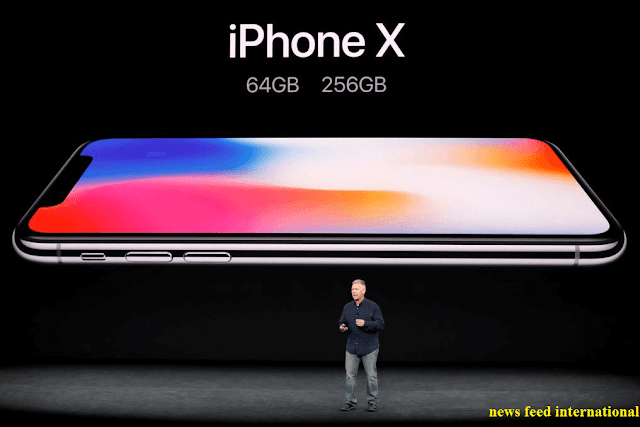
iPhone X : Expectation vs Reality


Best 5 effective tips: Helpful to maintain the security


iCloud backup:

It is better to upload every necessary data of your phone into your iCloud. That's the only reason for which iCloud has been made. You can store your message, photos, videos, information etc. You can turn off the backup whenever you want. I think this simple work can help you a lot from losing necessary data of yours.


Don't stick into the same old password

It is a common nature of everyone to stick to the same code for years to years. You shouldn't do this. If your old password somehow gets leaks, you will lose your important information. By default, Apple device won't remember you that you have to change the password but you should change the password within every two months.


Log out other browsers

Sometimes, we go to our browsers form others pc or laptop or phone but forget to log out. Don’t worry you can log out later by using your iCloud account. You can also check any unwanted browser is using your iCloud or not.

To check your iCloud device, you have to go to the iCloud site. From there you can enter into your account by applying your log-in ID and password. There is my device and from there you can check the devices that are logged in with iCloud.


Create a strong password

Always create a strong password for making your iCloud account safe. A strong password demands for mixed characters like upper and lower case, number and symbols. Without a strong password, you can't ensure the safety of your iCloud perfectly.

Remove unwanted data

You may think that simply deleting is erasing the data from my device. But actually, always it doesn't happen. If you want to make your device enough safe, always permanently delete your unwanted data. You may use such apps to do this.


Bonus tip: Turn off find my phone

There is an extra bonus suggestion for you only. The fact is with the Apple device there is an option to find your phone. You have to log in into your iCloud and you can see where your Apple device is. If you lost your device, you can check by this to find your device.

But this function can be harmful to your privacy. There is a chance to get exposed to this feature. You should turn this feature off. But if you think that the information isn't so much private, than you may use the ‘find my phone' feature.


Conclusion

So, that's all about the iCloud security maintaining. Here the tips are so much effective and helpful to secure your iCloud. Most of us aren't much concerned about the security of our device. This shouldn't happen. Don't take the risk. And always use two-factor verification system in your Apple device. Be wise and enjoy your happy life.

Friday, August 31, 2018

iCloud security code full solution : Expert Opinion
icloud security code expert solution

For an Apple user, the most important factor is iCloud. There the safety code means a lot to an Apple user. And there are such common problems that every Apple user faces. Here we have explained in a bite-size chunk on iCloud security code. So, why late? Give a look-


I-cloud security code: Why it is important?

A storage system is like your house where you store your important documents and products. So, here in the cloud system of this modern era, you can store anything in your iphone. To make the storage safe, security code works as an authorization checker. If anyone gets to know that code, he/she can access easily. That's why Apple put a strong focus on this.


How to set a strong security code?


It is to some extent, impossible to break the lock of iCloud. But it is not beyond the capacity. So, it won’t be wise to give a chance to anyone. You must put a complex security code. There is a fixed strategy. But simply to say, wisest people follow a combination of different characteristics for the iCloud security code. Let’s see what the way is- 


  • Don’t give any information about you as security the code as it is easy to guess. 
  • Don’t give anyone’s name.
  • Try the letter with big and smaller case.
  • Put numbers in the code
  • Set also characters like (! #, % etc.)

Want To Know about Keychain alternatives? 

When will you need to reset a security code?


If you enter your security code for too many times, the device will be disabled. You won’t be able to run that device until you recover that device. To recover that device you can take help from your other Apple device with the same iCloud key chain. Let's see how to set the new security code.
security_code_of_icloud


How to set a new code in your iphone?


So, your concern is now about setting the code into your i-phone. That’s not so much complex. Let’s check-


  • Tap the settings option.
  • Tap the profile that you saved on your name.
  • Go to iCloud option.
  • Then go to the keychain. 
  • Here go to advanced option.
  • Tape there the option ‘change security code’.
  • Then put Apple security code after it asked.
  • Now, enter the new security code

>>>> Read How to Maintain iCloud Security

If you are using iOS 10.2 or previous version, then go for below.

  • There will be no option for the keychain.
  • Directly set new code after tapping iCloud option.
  • Have to enter the old code before setting the new one. 


So, here your new security code has been placed successfully.


How to set a new code in your Mac(OS X Yosemite or later)


If you are a Mac user, you will have to follow the below instructions to change the security code. 


  • At first, go to the Apple menu.
  • Then go to system preference and there you will found iCloud.
  • There go for keychain in the options.
  • Tap ‘change security code’.
  • Give your previous code when asks.
  • Then set your new security code. 

Here in your Mac new security code has been placed successfully. 


What to do with a device with disabled iCloud?


Therefore, you have set the new password in a device where you have access. But why you have done this? To enter into a device what you have disabled. For that, you have to follow simple steps. These things have been given below:

For i-phone or i-pad: 

  • Tap the settings.
  • Go to your profile(Your name)
  • Go to iCloud.
  • Then go to the keychain.
  • Slide the keychain and turn the slide on.


If you are using iOS 10.2 or earlier, the process will be much easier.

  • Tap the settings.
  • Open the iCloud.

That’s all that you have to do for i-phone or i-cloud.

For Mac: 

If you are a Mac user, follow the below instructions. 


  • Select the Apple menu.
  • And then choose system preferences.
  • Tap on the iCloud.
  • Then choose the keychain.

That’s all for a Mac user.

Actually after this what happens that a request is sent automatically to your approved device. Therefore, a request message pops up into your approved device where you have recently changed the security code. You have to approve that notification message. After this approval, your required device has been added to the iCloud keychain. 


What to do to reset security code in your device?- Where you can’t access! 

But if fail to access any device that has your iCloud Keychain, you have to go for a fully different process. Let's have a look at that!

For i-phone, i-pad or i-touch:


  • At first tap settings.
  • Go to your profile(Your name)
  • Go to iCloud.
  • Turn the iCloud Keychain on.


But if you are an iOS 10.2 or earlier version user, you will have to go for below.

  • After tapping settings you will find iCloud. 


Then your device will require your ID password. There will be two-step verification. If you are using this, you don't need to worry. Using two-step verification you can reset the security code. But if you don’t use verification system, tap for forgetting the code. Then what to do? I have explained below-


  • Tap for reset keychain and replace your keychain from the device.
  • Tap reset again to confirm.
  • Now there will be steps that you have to follow to create a new iCloud code.


For Mac

If you are using Mac with OS X Yosemite, you should follow the below steps.


  • Select Apple menu.
  • Then go to system preferences.
  • Tap iCloud and then Keychain.
  • Here you will be asked to give your Apple ID password.
  • Then tap for user code.
  • Select forget the code and enter the iCloud security code.
  • Click reset keychain so that it can replace your keychain from the device.
  • Tap Reset to confirm.
  • Now set up the new security code by following the onscreen process. 


Final Words

Therefore, you know now everything about iCloud security code. You know how to set code in the accessible device or un-accessible device.


But never share your password with anyone and obviously set a strong code. Best of luck to you!

Wednesday, November 22, 2017

iPhone X: Expectations Vs. Reality
iPhone X, the subject of immeasurable expectations and fantasies since its announcement, was supposed to be a dream for the iOS fans and tech-geeks alike. With the front and back both made of glass, something that hasn’t been the case for iPhones, was something everybody was thrilled about. But what was the biggest wow factor was the nearly edge-to-edge display of the new iPhone X and the absence of the beloved Home Button.


iphone x reality

The new device has reached its first customers starting from November the third, and despite the thrills and the excitement, the first-hand experiences would be the deciding factor for many on whether to go for the new iPhone X!


The New Features in iPhone X as Advertised and Expected

The Screen

The new features declared with the announcement of the new iPhone X, or the iPhone 10 as some would call it, has included a fifty percent strengthening layer, and a seven-layer ink process that promises precise hues and opacity. The reflective optical layer would make the colors look better. And on top of it, the phone is promised to look shiny and spotless with its new oleophobic coating that prevents fingerprints and smudges!


iphone x screen

But probably the one factor that has been a matter of surprise was the edge to edge display and the absence of the home button. The beginning of the era without the iPhone Home Button! The lock button has been lengthened and rechristened as the ‘side button’, with new accelerometer and gyroscope added. The display is a striking 5.8 inches which gives it the credit of the largest iPhone display ever built!

You May Also Like to Read iCloud Keychain Password Manager

OLED display is a new thing for iPhones, starting with the iPhone X, giving it the much sought after screen features such as true blacks, a great contrast ratio, and much more accurate colors. The true tone feature also allows the iPhone X to adapt to it environment, which means that if you are sitting at your usual bar in the evening on a Friday, the screen will give you a much warmer glow, yet the same phone will give you a much brighter bluish hue when you are out hiking with friends the very next day!

The true HDR display lets you watch your movies in Dolby vision and an HDR 10, with the pixels counting to 2436x1125 on your photos, thus presenting you the best resolution, with a striking 458 pixels per inch. The contrast ratio in the new phone stands at 1,000,000:1, with an embedded tap to wake system.

The Metal Frame

Apple even went to the lengths of designing its own alloy, which is a surgical-grade frame of steal that would surround the phone at the edges.

The Perfect Size

But in size and weight the phone remains somewhat between the new iPhone 8 and iPhone 8 Plus. So people like me who had picked the iphone 6s Plus, looking for a phone with a big display, and finding the 6s slightly small, have to admit right now that the plus sizes are a little too big, making the new iPhone X the perfect size!

The Camera

One of the biggest feature, we iOS lovers wait eagerly for is the news on the camera. The iPhone 7 had introduced the portrait mode, which was in a word, great. iPhones have always had a bad reputation when it comes to low light photography, but the low light performance in iPhone 7 was quite an improvement compared to the past models.

iPhone X has been rumored to fix that problem, with its TrueDepth system and the front camera mechanism consisting of a 7-megapixel camera, an infrared camera, proximity sensor, ambient light sensor, flood illuminator, and a dot projector. It also has the earpiece speaker and microphone. All these features would result in the amazing photos portrait mode selfies, the facial recognition system, and Animoji.


animoji of iphone x

The front camera will also now take amazing portrait mode selfies with the help of the TrueDepth system of the front camera. Besides this, Apple has introduced the Animoji, which are basically emoji characters which will change their own facial expressions based on the expression of the user.

The rear camera has a 12-megapixel capacity, with dual lenses that are aligned vertically. There is optical image stabilization for telephoto as well as wide-angle lenses. The low light situation is fought with the help of the Quad-LED True Tone flash with Slow Sync (Whoa!). The slow sync is basically a feature that combines a short strobe pulse with a slow shutter speed, helping in situations of low light with a brighter foreground subject yet a background that is properly exposed. The unique flash works to provide more uniform illumination, reducing hot spots. Now that sounds pretty good for the “chilling at the bar” photos for sure!

Your Christmas videos will be better this year too, with 4K video recording at 60 FPS and slo-mo vidoes in 1080p. With Apple’s new real time image-processing which has HEVC compression so that your video files are reduced in size and a larger f/2.4 aperture, the quality is supposed to have more exposure and true depth. The zoom will be better even in low light.

The portrait mode of the back camera is better than the previous versions, with the new algorithms from Apple that will help Portrait Lighting. The algorithms supposedly calculate the changes in our facial features in different kinds of light, thus creating effects as amazing as Stage Light, Stage Light Mono, Natural Light, and Contour Light.


The Face ID

Now let’s come to the most loved-slash-hated feature of iPhone X, the Face ID. Would you want your iPhone to unlock itself when it spots your face when you try to unlock the phone? Would you think of it as an added benefit or a security concern?


face id feature of iphone x

You are probably as stuck here as I am. I mean, at times, I would love to avail that option. But after watching all the movies in which people steal each other’s identity doing some sci-fi thing that makes them look exactly like the person they are about to victimize, wouldn’t you be really worried about someone unlocking your phone. Then again, who would be so desperate to look inside our phone?

This controversial, yet kind of amazing feature, has replaced the touch ID system, which means placing your thumb on the home button won’t be happening ever again. All you have to do it bring the device close to your face and look at it.

Then you can swipe to unlock the phone or use your authentication if you are about to use Apple Pay. Although people worldwide has been debating the feature, Apple assures that the risk of being unlocked by someone other than the user stands at one to million. Let’s just hope, we are not that particular one!


Battery Life

Now the question remains if the phone is functionally better in case of the other aspects too. The new iPhone X has a Qi-standard based wireless charging. The phone just needs to be placed on an inductive charging pad, and the ‘fast-charge” will be enabled, a promised 50% in just 30 minutes if the Apple adapters are used.

The Apple 29W, 61W and 87W USB-c Power Adapters can easily be used for the charging. Third party charging pads from brands such as Incipio, Belkin and Mophie can also be used without any hassle. The battery life is promised to be around two hours more than the performance in iPhone 7.

Functionality

The A11 Bionic chip is 25 percent faster than the A10s used in iPhone & and iPhone 7 plus. There are 4 high-efficiency cores that alone have expected a performance of seventy percent. There will be a M11 motion coprocessor. The neural engine is designed in dual-cores, giving it the capacity to recognize places, people, and objects. At a capacity of processing 600 billion operations per second in case of its machine learning tasks, the new core will be the most important active for Face Id and Animoji.


iphone x amazing looks


The device is also relatively faster, all thanks to its three-core graphics processor making it about 30 percent faster than the iPhone 7 and iPhone 7 Plus. The Bluetooth 5.0 is expected to be about four times greater when it comes to range and 2 times when it comes to speed. The broadcast message capacity is expected to be about eight times greater than the previous Bluetooth 4.2.

The locations system will be using the Galileo support, Europe’s Global Satellite Navigation System (GNSS), which will be replaced by the Global positioning System (GPS) of USA. It will also have Quasi-Zenith Satellite System (QZSS), an augmentation system from Japan, giving more accurate location services.

Besides these tremendous improvements, some other changes that has taken place in the new iPhone X are simplified status bar, hold down side button for Siri, swipe up to close the apps, and the “Selfie Scene” feature that brings up an assortment of animated landscapes.


The Reality from User Experience


Now this amazingly “new’ phone has hit the market starting November 3rd, and the reviews are quite overwhelming. The anniversary phone is quite game changing, a vision of Tim Cook finally realized, removing the last of the “stick with the old” legendary features of Steve Jobs.

The Notch

But surprisingly enough, the hands-on reviews show a huge disappointment at the notch at the top on the nearly edge to edge display. It is kind of an eye sore, and the UI design has seemed to be affected a lot for it.

The FaceID minus TouchID

Let’s hear it on the biggest controversy- the FaceID.

Users seem to miss the amazing TouchID that they had gotten used to. Another option that’s being dearly missed is the old Home Button. Users have complained that the iOS isn’t amazingly suited to the absence of the Home Button either, resulting in some inconveniences. The screen that’s been attained through the kicking out of the Home Button seems to have poorly utilized too.

what is new in iphone x


Although the security issues couldn’t just be shaken off, the iPhone X FaceID system turned out to be great and hassle-free. The setup takes about just a minute and is quite easy to set up. The face recognition is accurate, and for security reasons, it can memorize just one face. Now, that could be a little inconvenient, especially when you were not that uptight about privacy in the first place.

The FaceID is also as fast as our favorite Touch IDs, unlocking the phone in mere seconds. Then you just swipe the phone upwards from the bottom to unlock the phone. Although not much of a big issue, the upward swipe was a little irritating, and not very comfortable because of the way the thumb needs to be stretched. But repeated swipes can make us completely used to it in no time. Or not.

Size and Weight

The new iPhone X is also a bit heavier, and heavy is always bad. It’s 174g, which is 26g more than iPhone 8. If you want a comparison with a Galaxy, it’s over 20g more than the Galaxy S8. In case of size, it’s just a little taller than the iPhone 8 and just a hair wider than it too. Compared to the iPhone 8 Plus, it’s much smaller. Compared to a Galaxy S8, it’s around 5 mm shorter, so that’s a good thing.

Now Apple has claimed that the iPhone X is the perfect phone when it comes to handling, and they are quite right about that. The size of the phone is just perfect, letting it comfortably sit on the palm. Every single point on the screen of this blessed phone is reachable with only one hand, making it the phone with the most thoughtful design. The phone does tend to be a little slippery, but the fact that the phone has small form, lets the user comfortable grip it.

The Look

One aspect that users seem to love is the glass at the back. Although Apple was the last brand to jump to the idea of a back-glass device, it eventually adopted it and the phone just looks great! The only bad thing about the back of the phone is probably the camera.

iphone x extra feature

The camera has been positioned vertically, instead of horizontally, which is probably mostly an engineering decision. But nevertheless, it looks a little strange for the eyes that have gotten used to seeing horizontal iPhone cameras. But what’s a little disturbing is the fact that the cameras bulge out a little more than before, which becomes an eye sore for the otherwise sleek and shiny back. The border of the camera is made extra sleek, which does little to help the case.

The stainless steel around the phone that holds everything together is shiny, giving the phone a much more expensive look. The extra sleek finish seems to be less in risk of scratches. We doubt if the scratches would be noticed even if there were some, considering the fingerprints that’s supposed to remain on the steel. But the downside to this exciting steel band is that it has resulted in the phone being heavier.

The Screen

The AMOLED display has been found to be quite breathtaking, and most users are okay with the eye sore of a notch at the top. Apple claims that the glass is the strongest on the planet. But whether it is strong or not, the amazing AMOLED makes it almost worth the risk. But a huge downside is how easily the glass can be scratched. So remember to get a screen protector the moment you get your new iPhone X!

The dimensions of the screen are 19.5:9 which is honestly, quite unusual for phones. The corners are rounded off, not making it a true rectangle. But if you leave out the portion on the top, with the notch, and the unusable screen area at the bottom, the real dimensions stand at 18.5:9. And if you were to use the traditional 16:9 ratio that’s used in most movies and other contents, what you’ll finally be left with will be a basic 4.96” screen. So much for the edge-to-edge, eh?

which feature is added in iphone x


The TrueTone adjustments on the AMOLED screen automatically corrects white balance and is enabled by an ambient light sensor of four channels. So, basically what it does it, when it’s turned on, the TrueTone algorithm automatically corrects the white light, comparing it with the ambient light, and thus results in many comfortable pictures, which are also good for the eyes. This is not to be confused with the Night Shift blue light filters.

On the display, the real brightness stood at 679 nits, opposed to the promised 625 nits, making the iPhone X screen one of the brightest OLEDs. On the sunlight legibility tests, the iPhone X has outperformed all phones, presenting an outstanding contrast under the sun. The color accuracy on the phone is also quite striking, making it one of the few color accurate phones till existence. But what has dazzled us all is the fact that the color accuracy is retained even when the brightness is as low as 1.9 nits.

Battery and Charging

Another big inconvenience is the absence of fast chargers in the box. An optical one can be bought for sure, but it’s quite expensive and will just add up more on what you are spending on your already expensive iPhone.

The iPhone X has about the same battery capacity as the iPhone 8 Plus- a non-removable Li-Po 2, 716 mAh battery. Turning the low power mode on also prolongs the life when the battery drops below 20%. The phone comes with a basic wall charger that managed to charge the phone to only 20% in 30 long minutes.

But when tested on a Qi-compatable Samsung fast wireless charger, the phone managed to boost itself to 17% in 30 minutes. You can make the process much faster of course if you use a USB-C-to-Lighting Cable, since the device supports fast charging through USB-C power delivery, or basically any good fast charger.

wirless charging


The tests showed charging of up to 45% in just 30 minutes. But as the best mode, we would suggest a 12W iPad charger, since it’s much more reasonable in terms of price than 29W MacBook chargers and the box contains a Lighting cable inside. In terms of speed, it’s just a little slower than MacBook charger since the device charges maximum at 15W.

Once the phone is fully charged though, the question remains as to the real life of the battery. The careful tests concluded that the iPhone X has a capacity of 19 hours of 3G calls, 12 hours of video or 9.5 hours of web browsing before the battery dies. The standby endurance was quite impressive, delivering a long duration of 74 hours at a stretch!

The iPhone 8 Plus also performed similarly, surprisingly enough, and even beat the iPhone X at video playbacks by 3 hours. The only explanation can be the AMOLED screen which consumes more power than the usual LCDs of iPhone 8 Plus.

Audio Jack

In case of the audio, although some of the users were quite upset in the beginning about the absence of 3.5 mm audio ports, getting used to attaching the lighting-to-3.5mm audio jacks easily do the job, and it comes with the box too. So, your old favorite pair of headphones can continue to be your favorite, unless you decide to shift to a wireless pair.

The Camera

The camera has turned out to be quite good, both front and back. The low light performance has also increased. So, it’s better overall, but not the best. The video camera, although amazing, it still recording mono audio only.


Summing it up, the new iPhone X is quite “new” for sure, with a lot of changes brought. The phone surely is performing great in the hands of its first users so far. We have all been waiting for major innovations in Apple, and this is probably so far the best in a long time.

We love the new iPhone X, and we hate to let go of the old features! Although some of the old features seemed to have worked better for a lot of us, hey, why wish for something new if we are so much in love with the old? And for oldies like us, Apple has molded the iPhone 8 and iPhone 8 Plus, which is a much better version of our beloved models.

So which one are you getting for yourself this Christmas?

Saturday, November 4, 2017

Top 3 Alternatives to Apple’s iCloud Keychain

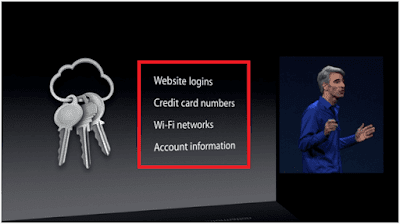
The iCloud Keychain is Apple’s default password manager which, as we all know, are a management system set in place to remember, gather and secure all your accounts information; usernames, passwords, Wi-FI, credit card and other such sensitive data used on your Apple devices. For those of us who are looking for sharper alternatives, look no further for we’ve got just the right stuff for you: 1Password, LastPass and Dashlane.


icloud keychain not syncing

Before step into the alternatives, let’s recap on the already established default program. Apple’s Keychain does what you expect out of any decent password manager, right? Let’s find out.

  • Does it store username and password information from websites, apps and other points of user access? Yes
  • Does it sync devices? Yes
  • Does it apply to other platforms besides iOS? No
  • Does it offer two-factor authentication feature without the hassle of a multilayered approval system? Yes and no
  • Do I have to purchase any other top-tier version to enjoy full benefits? No. It’s premium from the get-go
  • Are there any holes in its encryption protocol? Yes. In March ’17, Longterm Security discovered that this encryption, or their Off-The-Record (OTR) protocol, can be circumvented by other flaws as presented at the Black Hat USA 2017 
  • Is the security around additional device authorization air tight? No. The approval takes place in what is called a signature validation procedure. Unfortunately, it has been found that a custom made packet that gives rise to an OTR which can steal passwords, credit card and other such sensitive data.

What is it that Apple can’t offer that the others can or are they basically the same and it’s a matter of personal preference? Read on to find out.


1. 1Password

What is it?

This Swiss Army knife of a gem works overtime and across all platforms to keep track of all the unique passwords used in your social media apps, banking, entertainment, documents, insurance and other such privacy sensitive websites and apps. It has a friendly, much liked user interface. 


1password-manager-for-apple


What does it do?

Here, only one unique password gives access to every other one; that way you don’t have to individually memorize each one. One ring to rule them all! All your passwords, medical data, documents, credit card data and any and all data you deem delicate can be protected by one master key, essentially. Here, local storage is possible as well as sharing of information with other authorized users, according to your consent, of course.

How can it protect me?

Keeping in mind how corrosive, invasive and technologically advanced hacking threats are getting by the day where, it seems like, there is an unending list of ways to secretly gain access to our data. Working off of its AES-256 encryption platform, 1Password makes sure it generates enough random keys automatically to keep evil off its tail. While browsing the internet, to keep you away from fishy sites, its “watchtower” feature notifies you to keep away.


1password-manager-alternatives-to-keychain


You May Also Like > iCloud Keychain And Security Code

While storing information in its vault, it’s actively letting you participate in the password generation where you can customize your unique login information. Besides, more user interaction is made possible by use of its TouchID fingerprint system as a part of its login authentication system.
  
How do I get it?

It’s free to download; however, some of its top tier features will cost you money.

With the $2.99 per month package you get:
  • One  user only access
  • Ability to work on several platforms such iOS, Android, Mac and Windows 
  • Online & offline access
  • Auto sync
  • App upgrades
  • Email protection
  • 1 GB storage
  • 365 day stored history to restore deleted or lost information
The $4.99 package gets you:
  • 5 family members/users protected with additional $1 for each new member
  • Ability to work on several platforms such iOS, Android, Mac and Windows 
  • Online & offline access
  • Auto sync
  • App upgrades
  • Email protection
  • 1 GB storage
  • 365 day stored history to restore deleted or lost information
  • Share login information and other data
  • Manage what other members have access to
  • Account rescue for members who have been locked out

A few cons

Each time you step out, you have to log into the app. And over time, users have been known to get frustrated by this. Additionally, it asks the user to fill in a password that’s already in its vault. The user interface could benefit from some changes especially the search bar which has been problematic when looking up passwords. 

2. LastPass

What is it?

With this you don’t have to fear of losing all your usernames and passwords. This one-wallet-only system keeps all that information under one locked away high security basement facility.
lastpass-password-manager


What does it do?

As with 1Password, the industry standard AES-256 encryption system is at the heart of its protection factory. To ensure, just as backup, there are no other ways to crack its code, since this is no National Treasure or Dan Brown movie, an additional PBKDF2 SHA-256 key derivation function is used to maintain strict confidentiality and security. It has a user friendly interface that tracks all your accounts information, stores them and notifies if there are breach threats from websites and other apps. 

How can it protect me?

Users benefit from its 2-factor authentication system by using YubiKey, Microsoft Authenticator, Authy, Google Authenticator, their own LastPass Authenticator, RSA SecurID and USB devices.  Besides, it also offers fingerprint access as a swift alternative. 
To ensure hackers or malware cannot read your keystroke date as your enter your login information, it auto-fills passwords after you open the app and can also provide you with a virtual keyboard to fill in login data undetected. 


lastpass-alternatives-of-keychain


Moreover, for ones who want to enjoy a more practical and tactile access system, yet one that remains consistently supportive experience, LastPass has brought forth the LastGrid. This exciting feature is enabled by first printing out a mathematical chart and using its information to log in. Pretty neat, isn’t it?

How do I get it?

This is available for free on several platforms and devices including iOS, Windows, Linus and Android.

However for a premium package at $24, you get:
  • Quality customer support
  • One-to-many sharing
  • Emergency access
  • Advanced multi-factor authentication
  • 1 GB storage
A few cons

It has been known to save password more than once which causes users to experience unusable entries. Despite the claim, some have complained about their customer support. While it’s like body armor, the multi-factor authentication system can come off as not worth it for its setup puts user through an unnecessarily messy interface.
    

3. Dashlane

What is it?

This is one of the best out there which is giving the rest a run for their money. It’s simple and easy to use and makes password management be inviting for all users while ensuring proper security measurements and protocols.


dashlane-password-manager


What does it do?

Its security measurements are easy to grasp starting with features such as its auto-fill, tracking of online shopping, credit card information, documentation protection & storage among other things are some of its most attractive selling points. 

As far as storage is concerned, its wallet, or vault or treasure chest, whatever you want to call it, helps secure password information locally and can sync to other authorized devices. It is also versatile in that it allows users of iOS, Windows and Android enjoy the benefits together. This offers the users two-factor authentication, share information with authorized members, among other things, in order to regain access to your device if you’re locked out. After logging in, only to make sure nothing has changed while you were out, can change all your passwords kept in its vault with only a few clicks. Simply put, the ratio of existing passwords to the few steps needed to control them is spectacular.
  
How can it protect me? 

It comes with a password changer feature to make sure you’re always a step ahead of hackers.  It also analyses your passwords to make sure you only have the strongest you can get. Furthermore, this Security Dashboard also notifies you if a password is being reused, this way only one unique password is established that only applies to you.
dashlane-password-manager-settings

While some fear a cloud based vault makes you susceptible to theft, it helps user store information locally with only one key to access it, sync to devices and enter from the internet. This information be it, documents, login details, shopping receipts, credit card information, work, insurance, payment data and other such at risk items of information are held inside a industry leading and competitive wall of security which makes it stand out among a sea of other options.

How do I get it?

The free download helps with:
  • Unlimited password management & data storage
  • Security alerts
  • Password changing
  • Password generation
  • 30 days for free Premium trial run
The $3.33/month Premium package gets you:
  • Unlimited password management & data storage
  • Security alerts
  • Password changing
  • Password generation
  • 30 days for free Premium trial run
  • Sync password and data on authorized devices
  • Account backup
  • Ability to share unlimited passwords 
  • VIP customer support
  • 2-factor authentication
The $4 Business package gets you:
  • Unlimited password management & data storage
  • Security alerts
  • Password changing
  • Password generation
  • 30 days for free Premium trial run
  • Sync password and data on authorized devices
  • Account backup
  • Ability to share unlimited passwords 
  • VIP customer support
  • 2-factor authentication
  • Smart Spaces for data and password storage
  • Administrator control and customization
  • Password sharing with user control
  • 2FA and user account manager options
A few cons 

It is expensive totaling $39.99/year. Their customers have complained about not getting the best email support they hoped they would get. Moreover, launching 2FA was reported to be a little difficult due to lack of clear directions.


Other alternatives users can look into are:

KeePass, Roboform, Keeper Password Manager, Sticky Password, True Key, LogMeOnce and SplashID Safe.

While a lot of features will be common, key ones such are storage, where you get unlimited help and sharing options, cost, of course, are some of the things which can help you make the final decision.

Keepass:

  • Boasts a free 30 day trial
  • Available file storage capabilities
  • Data sharing
  • Form filling is a pain in the neck
  • No password analyzer
  • Not user friendly 
  • Expensive


Roboform: 

  • A free version for the phone
  • Ability to log into multiple webpages at once
  • 10 logins stored in the free version
  • Unsafe password sharing
  • No password analyzer
  • Unfriendly user interface
Keeper Password Manager:

  • Unlimited passwords
  • Auto-fill
  • Fingerprint scanner
  • Sync with multiple devices
  • Share password with others
  • Uses both AES-256 and PBKDF2 systems


Sticky Password:

  • Compatible with several browsers
  • Fingerprint scanning
  • Storage availability 
  • No pass analyzer
  • Cannot extract password information from iOS
  • Bad interface
  • Premium offers unlimited cloud syncing

True Key:

  • Boasts the impressive facial recognition and finger print scanner feature
  • Free version allows 15 logins
  • Multifactor authentication
  • Facial and fingerprint access
  • No password sharing with trusted contacts
  • No password analyzer

LogMeOnce:

  • Unlimited passwords
  • Photo login feature whereby your camera takes a picture as an ID
  • In case of theft, GPS and IP address tracking helps find lost devices
  • Average user interface

SplashID Safe:

  • All data stored in encryption 
  • Auto-filling
  • Basic storage functions in free versions
  • Premium offers syncing with multiple devices

Do some research since this sort of information isn’t tough to find on the Internet. Tech companies and hackers are working at light speed to outsmart one another Always be sure to take extra care of the kind of data you’re sharing and entering in your devices, so trust your instincts and do your part, regularly change passwords, stay away from content easily vulnerable to exploitation and keep reading our articles for the latest tech information.