Tuesday, May 15, 2018

Best Evernote Alternative Note Taking Apps for Linux

Evernote is the name of the application. It used to add notebooks that can include an interesting variety of content. Evernote is an excellent way to create notes, define lists and group content. There are many other alternative in the market. You can store all kinds of information while retaining its original format in this notebook. Such as personal annotations fragments of web pages or blogs, email addresses, outlines, images, videos. Any other object that can copy and paste with this application.


linux stylus note taking


To the notes you can attach with the free version all kinds of files audio: MP3 and WAV and documents: PDF, HTML and TXT. You can also incorporate all screenshots, although Evernote offers its own captor. Today we will talk about Best Evernote Alternative Apps for Ubuntu Linux. The best alternative evernote in the Linux desktop is to install the Windows client through Wine. The following evernote alternative may be helpful for you.

1. Simple note

Simple note is a free and simple application as simple as its name indicates. You write down everything you want and organize it by means of categories.

Features:
  • Use it everywhere: Your notes kept up to date on all your devices. There are no buttons to press. It just works.
  • Stay organized: Find your notes quickly, with instant search and by means of labels.
  • Rewind your changes: Your notes will save when you change them. You can undo the changes by dragging the slider at the top.
  • It is free: Backup copies, synchronize everything is completely free.
Download it from  Play Store

2. Nevernote

A free evernote replacement works in Linux perfectly. It is compatible with most features of Evernote you can drag and drop images, PDF or previews. Evernote files easily synchronized with Nevernote. Nevernote does not lose almost any feature. If we compare it with Evernote what we notice is a very big visual change.

Features:

  •  Change the background or the title of a note. 
  •  The text can highlight. 
  •  Encrypt the database. 
  •  Show PDF online. 
  •  More possibilities visualizing images 
  •  It Supports personalization of shortcuts
Download it from  Here

3. Springseed

Springseed is one of those elegant design alternative evernote applications. That designed exclusively for Linux. The application allows us to organize our notes in different notebooks and bet on a minimalist style.

Features :

  • It also offers synchronization with Dropbox. 
  • It allows us to work with the application on several computers. 
  • It allows us to organize our notes in different notebooks. 
  • It is able to attach different types of files.

4. Rednotebook

Rednotebook is an Evernote alternative application focused on used as our personal diary. It has a calendar that gives us access to the notes. That we create every day, week, month, etc.

Features :

  • It can work perfectly as a note manager. 
  • It counts as an advantage that in addition to text it has support for images. 
  • The possibility of exporting our notes in various formats, among which are PDF, HTML, Text or Latex. 
  • We can use tags, which can be very useful.
Download it from  Here

5. TagSpaces

TagSpaces not only presents itself as a complete notes editor, but also as a different way of organizing our files. We have seen it is undoubtedly the closest to a productivity suite.

Features :

  • TagSpaces allows us to take notes, using plain text. 
  • It allows us to organize a collection of webs (saved in MHTML) 
  • TagSpaces offers support for formats such as ePub. 
  • It offers us the necessary tools to create our own wiki on any topic we want to investigate. 
  • It offers support for Chrome cast. 
  • It has apps for both iOS and Android and official extensions for Google Chrome and Mozilla Firefox.
Download it from  Here

6. Hippo Notes

Hippo Notes has just launched its beta version. It remains to wait that the acceptance of the public is those who carry out this project propose new versions and improvements.

Features :
  • Hippo Notes can manage from a desktop computer equipped with some Linux distribution 
  • Hippo Notes has an excellent synchronization with the servers of the renowned Evernote tool. 
  • This tool for Linux can read and edit the documents.
Download it from  Here

7. Laverna

Laverna is a free Evernote Alternative focused on privacy. Its function is to take notes in different operating systems for Ubuntu Linux. Laverna is an open source program and currently provided for Mac, Windows and Linux operating systems. We can synchronize between these operating systems to have the notes always at hand. The difference compared to other similar programs is that the service does not have its own servers.

Features :

  • We can use the application without prior registration 
  • The notes are saved automatically 
  • We can use it to add lists, images, and links or modify the appearance of the text. Create shortcuts to lines of code
Download it from  Here

8. WizNote

WizNote is the Chinese competitor for Evernote and Google Keep. The annotation service has synchronization in the cloud, user for Linux and web version.

Features :

  • The Linux version integrates with the system and has a low consumption of hardware, 
  • WizNote is its ability to encrypt your notes, 
  • User can still create folders to organize their notes, sort them by tags and version all changes, as well as check when each made. 
  • You can at any time click on the information in a note and select the encryption. Making that note readable only after typing an offline password unlike your account password it is not stored by the application.
Download it from  Here
9. Geeknote
Geeknote is an evernote replacement for the Linux terminal useful for adding notes to Evernote using Bash Shell scripts. It cannot directly use the Evernote SDK. Simply to manage your Evernote notes from the Evernote line.

Features :

  • Geeknote supports all the basic Evernote functions. 
  • You can create and delete notes, create notepads and labels. Search notes with filters and edit existing notes. 
  • Geeknote comes with a tool called gnsync, which allows you to synchronize a directory. That contains text notes (we insist, only works with text data) with Evernote.
Download it from  Here
10. Turtl
Turtl is a private open source space that works as an alternative to Evernote. The main point of emphasis of Turtl is its focus on privacy. The app has a system of labels and filters that greatly facilitates the order. Turtl is compatible with Windows, macOS, Linux and Android

Features :

  • The tool allows us to take notes, save browser favorites, store documents and photographs, share passwords with co-workers, etc. 
  • It is an open source application that encrypts all data. 
  • It is a free tool.
Download it from  Here

Conclusion of Best Evernote Alternative

It is true that Evernote some time ago could be above most of its competitors. Above all, it is one of best suits you. It is what you really look for in an Evernote alternative application of this type. Evernote is a simple but at the same time very powerful computer application. It allows you to annotate save and organize all kinds of information.

Saturday, February 24, 2018

Best Business Apps For Your Smartphone
Back in the day, having a mobile phone was like having a fancy sports car. Everyone wanted to have one and admired the ones who did. The possibility to have a phone call wherever you are and without any cables was something special. You may laugh, but a few decades ago it was unimaginable.


Nowadays, you can do almost anything on your smartphone unlike in the past when you only had the ability to make phone calls, send text messages and an occasional email. The business people were the first ones who adopted mobile devices and they are now the ones who can't live without them.


business Android apps and iOS


They are constantly looking for different ways to improve their professional life. The latest trend are business apps which can help you get things done faster and with more efficiency. The only problem is finding the right ones in the sea of business apps. That quest could easily end up in never-ending scrolling. We decided to take this tough task on ourselves and compile a list of the best business apps. So let's begin!

PDF Converter Ultimate

PDF Converter Ultimate, as the name implies, is the ultimate converter app for your device. With it, you can convert your documents right on your device wherever you are. It can convert PDF documents with excellent quality to more than 20 popular file formats in a matter of minutes. Except for the first-rate conversion quality, the app stands out from the crowd with its ability to convert scanned documents. Beside files from your phone, you can convert your files directly from Gmail, Google Drive, Dropbox, iCloud and the list goes on. The app has a user-friendly interface and the process of conversion is pretty straightforward.

Price: Free

Available on: iOS and Android

Scanner App

Tiny Scanner is a great complementary app to the previously mentioned one. With it, you can turn your device into a portable scanner in order to scan photos, receipts and all kind of documents. All the scans can be saved directly to your phone either as an image or PDF file and they can also be organized into folders. The app has a batch mode which means that multiple scans can be combined into a single PDF. High-quality scans are achieved with the help of automatic edge detection and 5 levels of contrast. Last but not least, all your scans can be password protected.

Price: Free

Available on: iOS and Android

Google Drive

Google Drive is one of the most famous and well-known cloud storage services available on the market. Every new user gets 15GB of storage for free with the option to upgrade to a higher plan in the future. The complete storage is shared with other Google services, like Gmail and Google+ Photos. Documents can be easily uploaded to the cloud and accessed from any device or operating system. Files and folders can be shared with specific people through their email addresses or by a public link. The best feature is collaborative work which means that you and your colleagues can work on the same document from various locations and at different times.

Price: Free

Available on: iOS and Android  

TripIt

TripIt is a must-have app for frequent travelers. It takes a burden of organizing and sharing travel itineraries, making it a lot easier. The only thing you will need to do is to forward all the confirmation emails you received from the different booking services to TripIt and the app will do the rest. It can organize reservations from over 3,000 booking sites like cruises, concerts, restaurants and so on. All the trip plans can be effortlessly shared via email or with your Facebook and LinkedIn contacts. By keeping your travel information organized you will never miss a flight again or forget the car rental service that you made a reservation.

Price: Free

Available on: iOS and Android 

Jorte Calendar

If you are not satisfied with the calendar app your phone came with and if you are looking for alternative, look no more. Jorte Calendar app has a highly configurable interface and supports multiple view modes (monthly, weekly and daily). With its cloud service support, you can keep all your calendars, schedules and tasks always synced and accessible across your devices. The app supports importing information from Google Calendar, as well. The app has been downloaded more than 30 million times so that should speak for itself.

Price: Free

Available on: iOS and Android 

We hope that you will find these apps useful and that they will at least make your professional life a little bit easier and stress-free. We tried to cover all the bases, but you should use this list only as a starting point. In case we missed mentioning some of your favorite apps, please let us know in the comments below.

Saturday, January 6, 2018

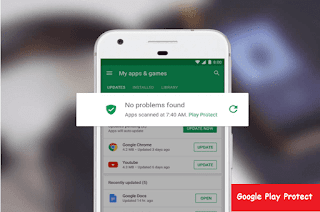
Google Play Protect : Android New Security System
In today’s cyber world malware is a very common name. We had the fear of attacking malware to a computer but at present, more the Million mobile Phone is affected by malware. Although we can easily protect malware from mobile and mostly Android. Because we have a fixed place to download an android app (google play store).


app protection in android
You may already installed antivirus on your smartphone, but it is not essential. If you don’t install an app from any other place then you will not face any problem with malware. From the past, play store was secured, now they are working to give more safety. Google opened a new feature, that named google play protect, they claim that this feature protects android device malware and other harmful things.

Mainly in this article, I explained how google play protect works. One more thing, if you have installed any antivirus please uninstall this without fear, because you don’t need an antivirus program for your smartphone.

Google Play Protect

In the very first I want to say, this is a new Android security feature, from whom Google will provide the latest security into your device. If you are using latest play store version, then you will definitely see that "verified by Google play protect" written there. It means that app is fully secured, and that is examined by Google. Not only the time of downloading apps from play store, it will always scan your device and also check the malware activity.

Related Article: 11 Best Android apps


You can say this feature All-in-one pack. Now it can do only three task; App scanning, browsing security, and Device Tracking. It can scan any types of app in real time, again it will continuously scan the app which you are using for many years in your phone, and it will alert you if there is any problem.

How it works?

Google play protect system use machine learning technic to scan app and detect malware. to access play protect by your phone go: settings>google>security>google play protect. Here you have a huge benefit that not only downloading from play store also from other sources when you will download, it will scan automatically and give full protection.

You may use a mod game from other sources because those are not available in play store. so google play protect will not detect them malware directly, first, it will scan app nature and then it will detect as malware.

This feature has the ability of use artificial intelligence-it scans billion devices and remember the app nature and then use those apps experience for next scan for other device and make the scanning method harder.


how-to-get-google-paly-protect

After comparing with which type of malware, or new and latest mobile virus working type, depending on then it will take a step for next and detect well. Doing this is also easy because google system definitely knows which app is working unusual.

Imagine that you have downloaded a camera app so this app will work with camera and storage. If the app wants the access of contact list then it has some wrong, isn’t it? A camera app doesn’t need contact list. In this way play protect scan apps with their nature.

When it detects wrong in any app, you will get notifications immediately that the app is harmful. In notifications, you will directly uninstall button.

Just on tap will remove the app from your system. Apart from this, they will check the app before uploading to play store and they will get the permission to publish.

Other Security Features

Earlier I said, this feature is not only app scanning, but also helps for safe browsing and device tracking. Previous Google safe browsing protection and android device manager has become a part of this project.

It always give malware alerts to you for visiting any unprotecting link, and that site never be loaded into your browser. This will check Google database that browsing site is safe or not.

play-protect-feature-find-my-device


Now finding device is an easy task. A device that enables with play protect, just enter into android.com/find - to find that device, and now you can erase data, lock your device by signing in the same account. You can download Find My Device app for finding your device from another android phone.

Hope You May like to Read > Samsung galaxy note 8 Review
                                                  Google Pixel 2 features

In my opinion, this security system is awesome, specially the use of artificial intelligence. Google started to invent a feature than contain high-quality security, that is really good news.

If you have installed antivirus and slow down your phone then uninstall it as soon as possible. And what is your opinion about Google play protector? Inform us by a comment in the comment section.

Image Credit : pixbay.com

Monday, November 27, 2017

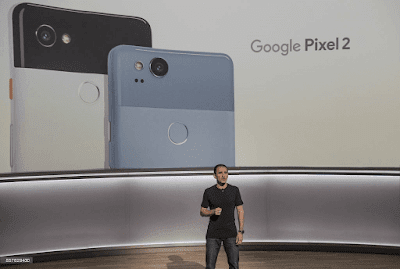
Google Pixel 2 Features and Price
The technology news of the new Pixel 2 it has received its new features of the software, with greater integration of Google products of Android AOSP. We have always wanted from Google for latest tech news.

They boast latest generation hardware fast and finished software, exclusive features, and a top camera. Manufacturers and as they indicate this could raise the price of this second generation of Google phones.
google-pixel2-price-and release-date

There have been quite the exclusive features announced by Google that you can only enjoy if you have a Pixel 2. These functions will make the smartest devices to squeeze the artificial intelligence of Google. It is also a smartphone built around the Google Assistant Artificial Intelligences.

Release Date

Google introduced us, its first phones devices presented on October 19. Google Pixel 2 will be available pre-order in USA, Australia, Canada, Germany and the United Kingdom as of today.

Features

The Pixel is beautiful to look and enjoyable to hold in with a secure grip. At the ends, flat edges design made of unibody metal with light curves and bevels.

The latest news feed is that the Pixel back part is flat but the thickness is not uniform in the top is a bit thicker. The new Google Pixel 2 features are like that when you take your mobile phone out of your pocket or lift it off the table.

You May also Like to Read Latest Version of Android Oreo

Without having to touch anything, the lock screen will automatically tell you those songs that are playing in the background. Google says that this feature works offline and that the songs and our conversations will never send to Google.

Google has renewed its Pixel 2 Launcher. The most important change is that the search bar returns to the launcher but now it does so at the bottom.

Camera

Primary camera is 12.2 MP with phase detection and dual-LED flash autofocus and Secondary camera is 8 MP. 

The latest news for Google Pixel 2 has only a single rear camera. It has not stopped them from enjoying the famous portrait mode.

Those almost all high-end mobiles have implemented using a double camera. The only camera is able to recognize the depth to blur the background. It also works with the front camera.

Smart burst allows you to capture a continuous stream of images and then automatically select the best one. HDR + is enabled by default and promises to be better than the past. Reducing noise and while ensuring a broad dynamic range.

Display/Screen

Although some (few) competitors do better it is an excellent screen. The screen is an AMOLED panel Full HD for 5 inches and Resolution is 1080 x 1920 pixels.

The density is 440 and 534 PPI respectively. The display protected by Corning Gorilla Glass 5. It is a great screen better than last year's Nexus and almost par with Samsung.

Google Pixel 2 would have a design almost identical to the model of last year. It will have a screen with frames and Full HD resolution. You can add 3D characters to your scenes.


pixel-2-display

The Latest tech news of this device it has also exalted the ability of the stabilizer for video. It allows you to have fluid videos even by walking. There will also be an unlimited backup of photos and videos at an original resolution.

The device comes with a feature that will free up memory space from your device. The top third of the back is in a glass, an unusual choice due perhaps to the need to ensure RF transparency.

You can Read this > 11 Best Android  Application of 2017

You notice and you may like it but this "window" tends to scratch easily. Here we also find the fingerprint sensor fast and accurate does not work easily in your pocket as on other smartphones. Always below the glass, part is also the NFC antenna, to use for payments and other operations.

Connectivity

There is no LTE connectivity as well as WiFi 802.11ac and Bluetooth 4.2. The device covered with aluminum for powering up and volume control, and a fingerprint sensor at the back. There is also a USB Type C connector with a 3.5 mm jack.

Sound

On the right is the activation button, finished with a texture that as like the HTC 10 and the volume bar. At the top of the jack and under the USB-C side, there will be two loudspeaker grids.

Only one really hides a speaker Google Pixel 2 has mono sound but good quality, with slight distortion only at the highest levels.

Processor

Even under the sun, we could use the Google Pixel 2 without any problems. Inside, we find the 1.9GHz octa-core Processor and Qualcomm Snapdragon 821.

Memory

The device is available with 64 GB or 128 GB storage space and 4 GB RAM.

Software

Google Pixel 2 has come with Android 8.0 the latest version of the operating system. For the time being exclusive of these models. The version 8.0 has added features with night light.

The shortcuts keys it can activate with a long press on the home key. The latest technology is essentially a 2D version of the 3D Touch proposed by Apple. It allows you to switch to a specific area of an app. There are also other minor adjustments.

The other novelties of Android 8.0 such as a dual screen, new notification system, improved power conservation.
Other features
Google Pixel 2 such as the graphical interface that is very different from the "stock" experience that we find on Nexus. Google has made its palette a little brighter chose a blue dominant and developed a brand new launcher.

You will need to choose memory cutoff because there is no microSD slot. To the right there is a cassette for a nanoSIM card. It has Non-removable Li-Ion 2700 mAh battery.

Price

goggle-pixel2-price

The Pixel 2 the initial price is $ 649. Google Lens comes first to the Pixel. With a temporary exclusivity, Pixels will be able to recognize. 

Everything almost they approach with the camera Such as books, objects, posters, buildings, monuments, stores, logos.


Finally, we can say Google Pixel 2 is exclusive device and it gift from the latest technology. If you add, more than one interacts with each other. The terminal of Google takes a step forward, without having yet rid of the controversy over the distribution of the past models.


The manufacturer tries to see, in a few points. Google has done with the new batch of Android devices that have signed.

Image Credit Goes to > Gettyimages and store.google.com

Tuesday, November 14, 2017

11 best Android apps of 2017 [Must Have apps]
Today we want to show you the latest news of the best 11Android applications of 2017. We want to help you a little with this task. It is worth having all or a large percentage of our Smartphone. This time we will review the best existing applications for Android.

Let us make a collection of the most useful applications for Android devices. They are new applications that give a plus to any Android regardless of the brand. The best applications of the Top 10 new applications for Android will be removed and As long as new releases are released in the play store, that list will be updated.

1. GlassWire Data Usage Monitor


glasswire-app


If you have an unlimited data plan or you are a prepaid user and from time to time make recharges but do not know how your data is spent. According to latest tech news, this App will be a great help. It defines the planning cycle (date and MB or GB).

It Reports of daily, weekly, hour or monthly consumption.You can see how much and what apps spend your data. Personalized alerts about data consumption.

Download Glasswire From Play Store  Download


2. Hidden Camera

The first and only professional hidden Camera is a best Android app of 2017. The latest tech news is that its main features it saves battery power. It performs 7 days continuously with battery supports. You can set the option for camera quality such as High Quality, Low Quality, Medium Quality, Selfie Camera. and the average score of 4.5 stars.

We are now re-listed by Hidden Camera to comply with the Google Play Store's content policy. Hidden camera is super secure stealth for shooting and video recording, even right in front of other people. Mobile Hidden Camera is the only spy camera application that guarantees your security while you spy to shoot with a host of stealth and protective features.

It keeps your Security of your privacy is our priority. It is only one of the spy cameras of the application with the no publication of Ads of any kind. Nobody knows that you have a spy app.

Download Hiden Camera From Play Store  Download

3. SMS Tracker

SMS Tracker is one of the best remote monitoring and tracking systems for Android phones. By installing the free SMS Tracker Agent on the target device, you can remotely read all incoming and outgoing text messages, MMS multimedia messages. You can View photos sent and received.

You are able to view call records (including name, number, and duration of the call and View the web browsing history. You can check View the GPS location information on a map. The developers are constantly trying to fix the problems by updating it regularly

Download Sms Tracker From Play Store  Download

4. Evernote for Android Wear

In many activities and jobs, using notes as a reminder is essential. What happens is that sometimes there comes a time when you have so many that you need to order and classify yourself? If you need this and have other functions, I am sure that Evernote will be a very useful Android app. Evernote for Android Wear is surely the best app to write notes and reminders of everything that happens to you. It is a powerful tool you can store all kinds of information such as schemas, email addresses, annotations, personal and professional quotes and even web fragments.


All the notes can make in different and customized formats. It means that you can change the font and color, add bold or underline. Evernote for Android Wear which is one of the leading and best, free android applications. It makes it possible to use links to web pages and even supports the inclusion of images. The application developed in a comfortable and intuitive structured interface so that even the most inexperienced users can see in Evernote for Android Wear a very useful application and you can download it free right now.

Download EverNote From Play Store  Download

5. SuperVPN Free VPN Client

Super vpn client this app offers unlimited bandwidth, no need for root access, use of the most secure VPN to protect your privacy.

Unblock restricted websites, plus encrypts internet traffic and works with just a click of the mouse VPN connection. You can find more tech news online about SuperVPN.

Download Super Vpn From Play Store  Download

6. File Manager (File transfer)

file-manager-android-apps

If you want to get the most out of your phone, you need a file browser. It is a best File Manager (File transfer) for Android. This new manager has interesting features: Sort by categories, Delete, Create direct access, Backup copies of installed Apps. Sort files by music, videos, music, favorites, and large files. 

It supports for storage management in the cloud: Dropbox, Google Drive, Onedrive, Facebook, etc.

Download File Manager From Play Store  
Download

7. Clipboard Manager

Copy and paste like a ninja with this powerful free Android clipboard. It is a productivity apps that manages everything you copy and paste from an elegant interface. You can perform Clipboard history: Date, Bookmark, and Delete through these apps.

You may Also Like To>>  Read Samsung Galaxy Note 8 Reviews 

It is totally Free, without ads and with Material Design design. You can access notifications with floating bubble. You can create Apps whitelist and lock PIN. You can recover copied texts and create Backup copies. There is Easy Copy, share, delete and combine text option in the apps.

Download Clipboard Manager From Play Store  Download

8. Buttons Remapper (not root)

You can modify the actions of each of the buttons on your Android device without Root. Buttons remapper (not root) also allows you to add additional actions with a short or long press or triple click on the buttons.

You can change or add actions to open any app open the camera, volume keys or disable the button completely.


Download Buttons Remapper From Play Store  Download
9. Spotify Music
One of the most popular applications currently is Spotify. Currently it is free, both mobile and tablet. It is the most popular music listening application. The catalog Spotify Music has is enormous, being able to listen to artists and albums or create your own playlist where the songs that you like.
spotify-music-android-apps

If you want to discover new music, you can choose a playlist that made. That related to how you feel about the mood or receive a series of personalized recommendations based on your tastes.

The best thing about this music player is that it is free for mobile. You will be able to listen to any artist, album or playlist in a random way. Undoubtedly, one of the essentials for mobile is in the best Android applications of 2017.

The application is responsible for organizing and searching the music files for a number of themes, case of artist, album, song, genre to which it belongs as well as folder and playlist.


Download Spotify Music From Play Store  Download
10. AppInfo Mini
Check from the notifications panel how much internal memory. It occupies and how much data an application consumes. AppInfo Mini works in real time since it gives us the information of any application that we have open.

It provides us is Data used in wifi and mobile, weight of the application, space used in data, cache and acquired permissions. If we are on the desktop it shows us data about the used RAM, occupied and free storage, percentage of the battery.

Download Appinfo Mini From Play Store  Download

11.  Snap Swipe Drawer

Take advantage of the widgets of Android applications with Snap Swipe Drawer. Snap Swipe Drawer allows us to access widgets in any app that we have open and even from the lock screen. Within the settings you can change the activation area (Left, center and right), sensitivity, create a whitelist of apps where you can activate and enable the option to activate from the lock screen.

Download Appinfo Mini From Play Store  Download


Hopefully, you enjoy and as always choose those that may be worth more. Remember that all applications take up space on your device. Finally, tell you that we always recommend that you read the terms and conditions of these apps because the small print may surprise you often.


Image Credit Goes To Play store

Thursday, November 9, 2017

Latest Tech News About Android Oreo 8.0 [Features]
From last few months, you may be heard the name of Android Oreo. Today, Our Latest tech news is about to android New Version Oreo 8.0. Because this is the new Android version of Google this year. Google has some habit to release a new version every year. and they didn’t have 10% users of the previous version yet.


oreo features

That means Google released Oreo this year but you may feel sad after hearing that their previous version nougat didn’t reach most of the android users mobile phone. during this term, google give the priority to their own device like Nexus, pixel etc. Those are maintained by Google so they get an update first. Like the new Pixel 2 and Pixel 2 XL already installed with Oreo.

Today our topic to discuss the changes, new features, and improvement of this new Android version. Maybe you will not get the update so fast on our smartphone. But you learn about the new version. So let’s start with this latest version. in this version, so much improvement and updates they have that can make this article large. So I will discuss some main changes and features.

Picture in Picture Mode

picture in picture mode feature of oreo

From my view, it is the most important, attractive and big improvement of this version. For this feature, users can watch a video and the same time they can do others task by phone. So that means if you quit video then the video will not stop Playing. The video will continue to any corner of your phone and you can do anything at the same time with your phone. The video will not interrupt your work. For your benefit, you can move the video to any place of the screen and also you can make big or small. But for YouTube, you need Red subscription.

Background Limit

google android oreo

Read Google Most Super Security Update of Play Store

>>> Google Play Protect : Android New Security Update 

This feature may not breakthrough like the last but much helpful. You can more easily notice your installed apps and what they will do in the background. You can control as you want. In the previous version, you can’t see that some 3rd party apps are draining your battery or using data in the background. But if you are using Oreo then you can see in settings and also you can stop them.

Password Autofill

autofill password feature

You may already be tried Password autofill in old versions. But you need 3rd party password manager for that. Like lastpass, npass etc. Oreo has the native feature of password manager. For this, you don’t need 3rd party soft if this version. Which website and apps password you saved with chrome google smart to lock in your pc or smartphone those username and password will be auto-filled this when you are using a specific app on your phone. So that you don’t need to remember that id and pass or using 3rd party software.

User interface improvement

Comparing with those old versions you can’t find much UI improvement in Oreo. Such improvement is given below:

  • Notification Dots:
now user can understand from the home screen icon that which specific app got a notification. If any app got some notification then you can see a dot mark on the app. So you can easily mark that which app have some notification and which don’t.

  • Settings page redesign: 
those are using android nougat (7.0) they know how much ugly look it has. Moreover setting page of nougat is not arranged properly. But in this version setting page totally redesigned. This time it is more organized and attractive.
  • Notification panel redesigned:
In this version of android, notification panel and quick setting panel also got new look. The previous version of this had a full dark theme. This time notification panel and quick setting panel theme is changed to light or white, but I don’t like this. The previous one was better (personal opinion).
  • New emoji:
android version oreo get emoji

android Oreo got the new interface of emoji. Those are known by the previous version in this version you can not get those Emoji. New emoji may like someone or may not. Although I like them and better than old.

Better Bluetooth Audio

In this version, Google took care of audio performance. The user of Oreo will get more experience than other versions of Bluetooth audio. Google added some built-in codec those are user replaceable. So you can change Bluetooth audio codec in your own way. by your choice, you can change wireless audio communication protocol by changing codec while playing music. as a result, you will get better audio listening experience.

Faster Boot time and better Performance
Google claim, smartphone maintain by Oreo will boot faster than old versions. This version will make maximum 50% faster boot than others. So the newer version will take halftime than older to start-up. This Android smartphone will be fluid and smooth in performance comparing those previous that also claimed by Google.

That's All for this Android version of Oreo. Hope, you can find latest Smart features about this version. If you have any kind of confusion or question feel free to comments below.

Find me On Twitter.

Image credit: android.com | by Mariax via shutterstock.com

Wednesday, October 18, 2017

Top 4 Best Free Project Management App [Must Read]
project manager software, free project app

When the question is project management, of course, it is necessary to work as a professional.  To work in writing or save on a computer or mobile notepad is never an ideal way. Notepad will never help you to manage your project properly. Using Powerful Project Management App and WebTool you can arrange and handle your projects extraordinarily. 

Though every tool is not according to your specific need, I will introduce you to some popular project management tools on this article. You must check it out. Each tool has its own advantages and disadvantages, so let's explore everything.


1. Asana

  
project management software asana

I would like to Asana in my first choice. Because this app is very easy to use and its user interface will be memorized at first watch. This app is so good and well organized that all of you and your project members can easily manage the project just in time. 

You can easily organize tasks in different categories and can easily distribute tasks among project team members. Adding the deadline to any task, and adding project file and tutorial is is just a simple task. You can also make conversation in Asana easily and thus possible to keep members on track. 
  
Asana has a text chatting system rather than call or video chat. Gives the ability to manage your project more importantly. This chat data will help you as a reference not only for just once but also any future problem. Although it is enough to handle small projects from its free version, but its premium version gives the ability to add up to 15 subscribers and offers more deep reporting facilities. You can control the task of any internet browser using web-based applications. It also has an app version for smartphones.
Click here to access Asana from the web browser. There is a dedicated app for Android phones, which can be downloaded from here. Don’t worry, there are apps for iOS users also, just click here. 
  

2. Trello

 
project management software trello

Trello is my second choice. Breaking the tasks here and shown in separate card systems. It’s really amazing. Trello is very easy to use and like a to-do-list app. You can add files, images, videos, and also many things with the project. The best thing about it is that you use the app or use the web-based version, you can work in offline. When you are in online, the saved data will be synced with all the devices. 
  
The basic version of Trello can be used in free. Many amazing features will be possible to unlock by using this paid version. The paid version will give you the opportunity of adding many project members, large team management system, separate Dashboard for each etc. 
Click here to use the web version. You can download the android app from here and IOS app is here. 
  

3. Basecamp 3

 
free management app base camp

Basecamp 3 provides you such advantages those are expected from a project management app. I am sure Basecamp 3 will provide you better facilities rather than an ordinary project manager app. As a special feature, file sharing, task, calendar, file storage, and chat sessions will always have focused you and your project. 

This tool is free for teachers and students. If your business is large, then Basecamp offers 3 flat rate prices for $ 99 per month or $ 999 per year. Both apps and browser versions are available. Click here for the web version, Android User Click here, iOS user click here, and MacOS user click here, windows 7 and for the above version click here. 
  

4. Microsoft Project
 
free project management app microsoft

At the end of this list, I certainly would like to recommend to try Microsoft Project Manager at least once. This software has been stored since 1984 and has more than 20 million users. Of course, you do not need to give any idea about Microsoft; it is used by the world's largest companies as the first choice to manage their projects. 

It is added to the Microsoft Office. If you just want to use it you can pay for it. As it Microsoft’s so normally it goes to windows operating system easily. Unfortunately, this is not available for different platforms. Users of Windows 7 can download the software from here. 
  
So, from this Article, you have understood that every software has different and special features. Now, check what the best for your team. I would like to recommend you using the free version of the app. See if it is fit for you. If you have a lot of project and team members, then surely you will have to work to buy premium versions. If you have any question you can ask me in the comment box.